
Download Keyboard Launcher Pink – Customize Your Mobile, Themes, Android, Free, Latest Version
Overview
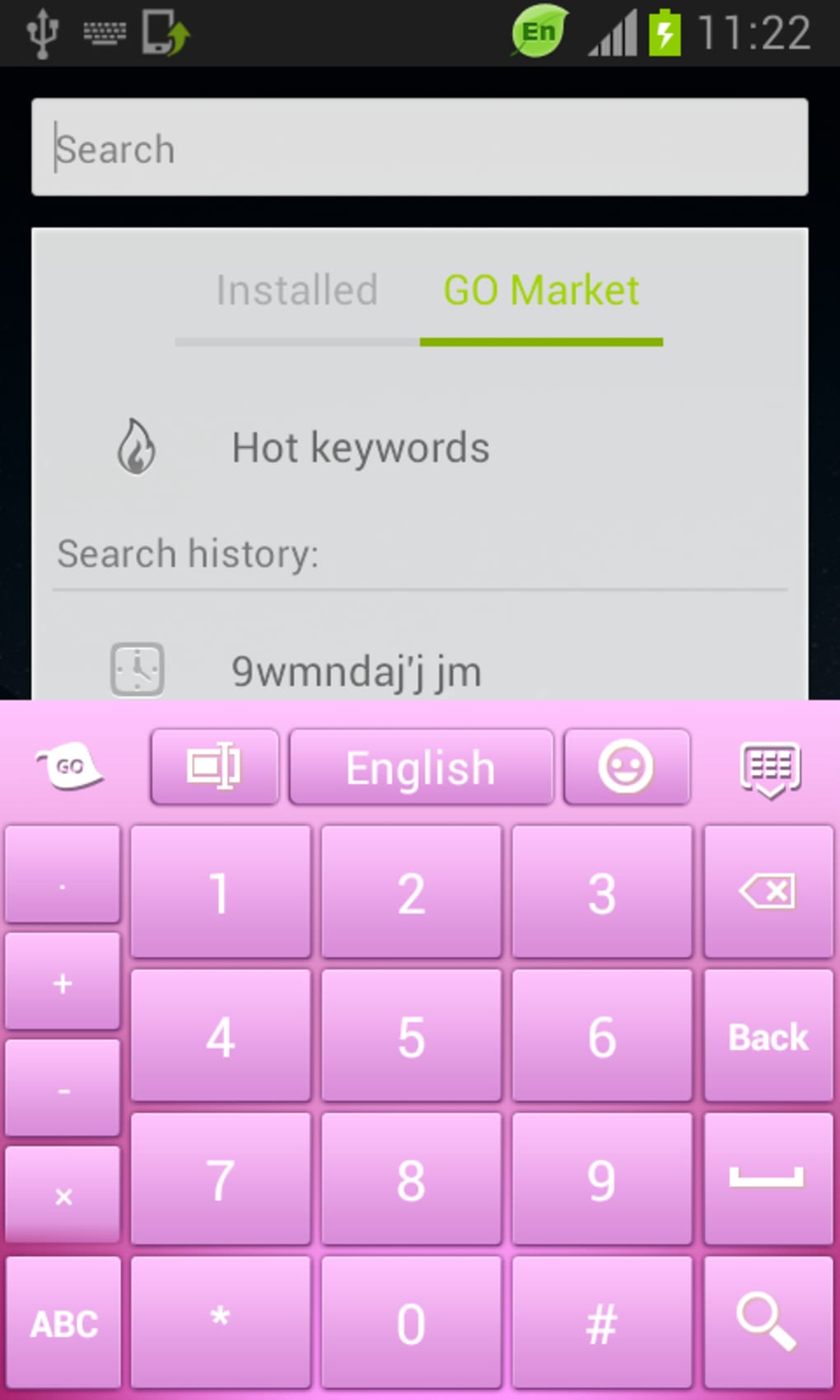
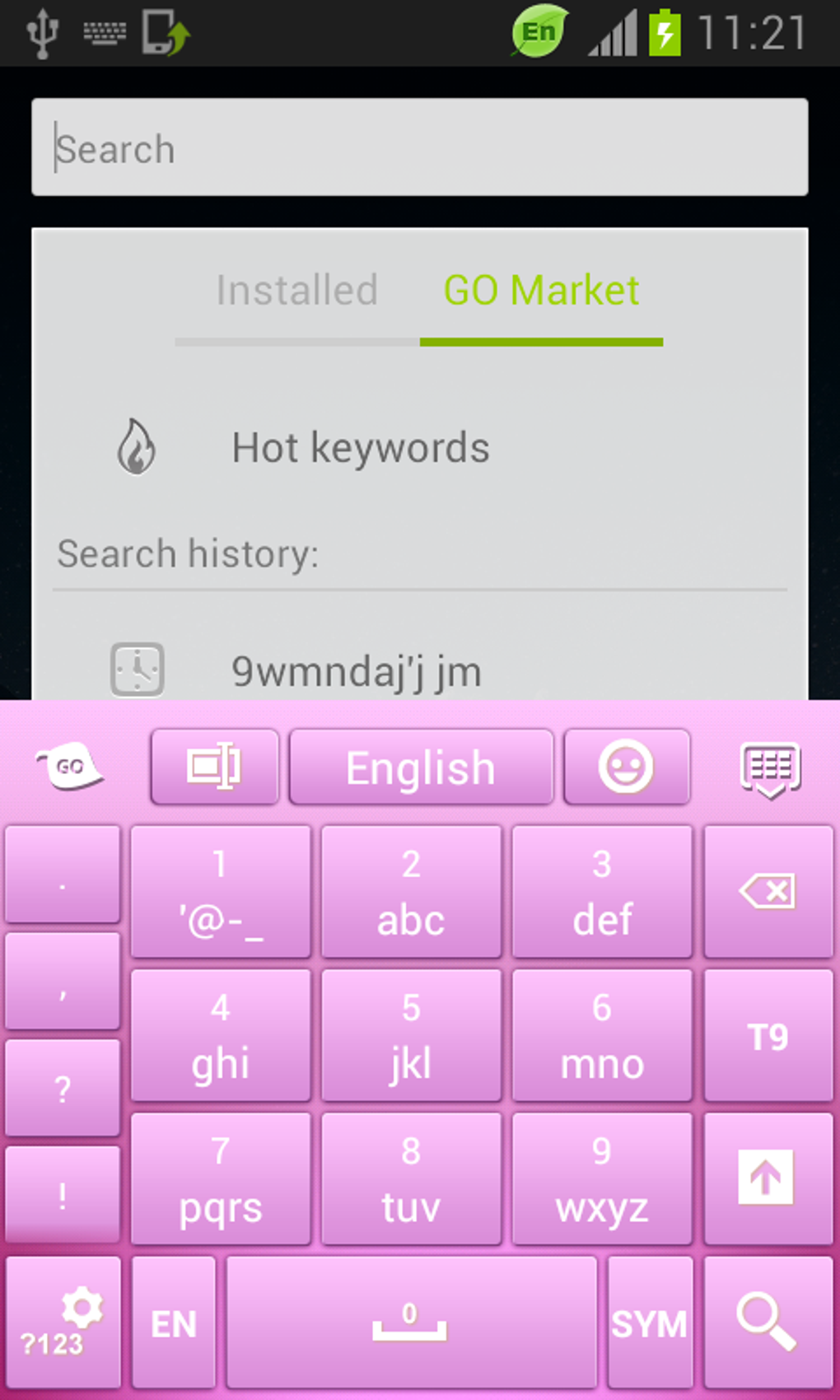
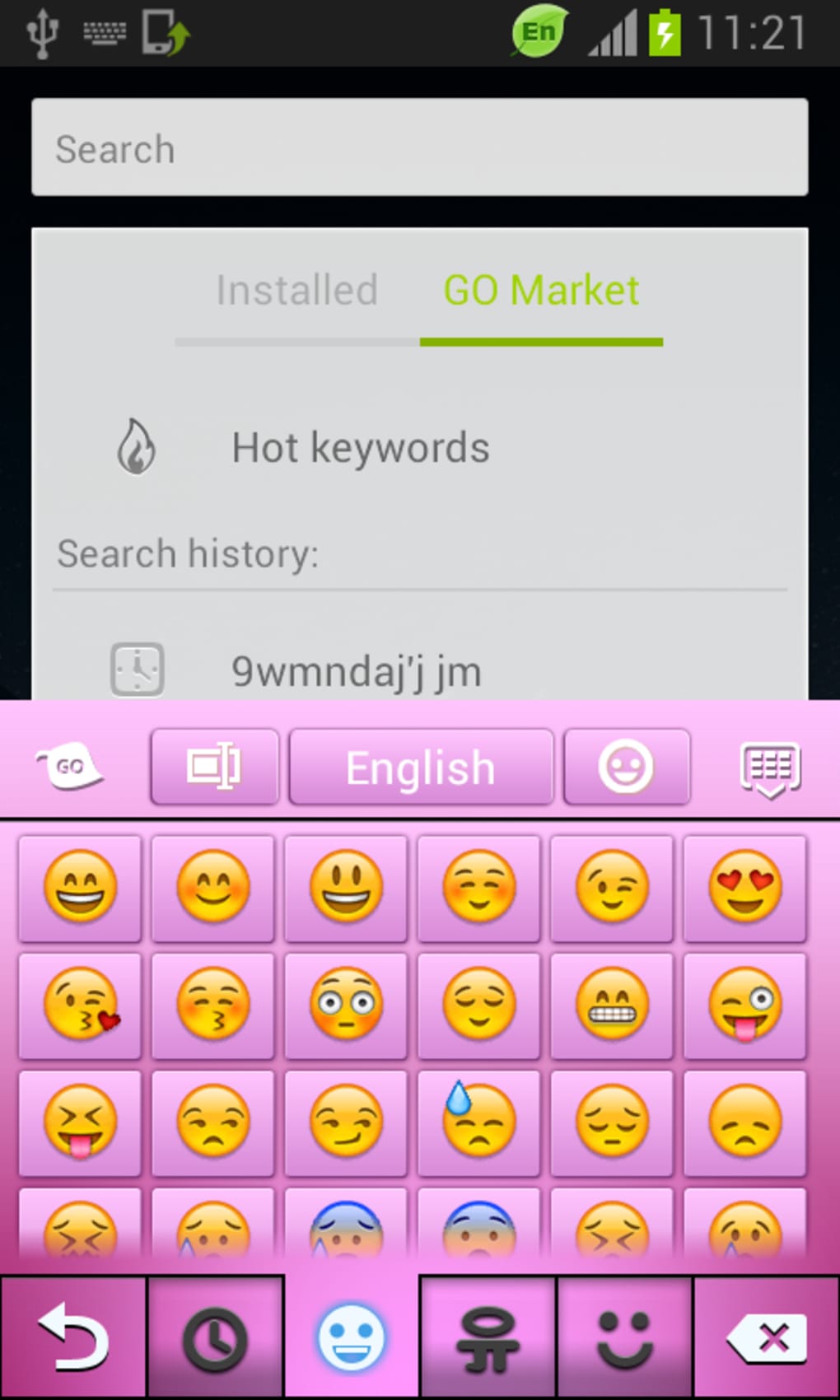
Keyboard Launcher Pink is a free Android theme designed to personalize the mobile user experience with a vibrant pink aesthetic. Developed by T-Me Studio, the app falls under the category of mobile customization tools, specifically within the subcategory of Themes. Its primary purpose is to enhance the visual appearance of the keyboard interface, offering users a fresh and inspiring look tailored to their preferences. The software is intended for consumers seeking to customize their Android devices with a distinctive, visually appealing theme.
By applying Keyboard Launcher Pink, users can transform the default keyboard layout into a more expressive and personalized interface. This is particularly useful for individuals who value personal expression through their device’s appearance. The theme is ideal for users who enjoy a modern, colorful design and want to align their device’s interface with their personal style. It supports Android 1.5 and above, making it accessible to a wide range of older and newer devices.
The app is available exclusively through the Google Play Store and does not require any in-app purchases. With a current version of 1.7 released on January 2, 2015, the software has been part of the mobile customization ecosystem for over a decade. Despite limited recent activity, it remains accessible to users who appreciate retro and minimalist design elements.
Key Features & Capabilities
- Pink-Themed Keyboard Interface – Applies a cohesive pink color scheme across the keyboard, enhancing visual appeal and creating a unified look.
- Compatibility with Android 1.5+ – Supports a broad range of Android devices, allowing older and newer systems to use the theme.
- Free to Use with No In-App Purchases – The app is completely free, with no hidden costs or ads that interfere with core functionality.
- Multi-Language Support – Available in English, Spanish, and German, catering to international users.
- Simple Installation via Google Play Store – Users can download and apply the theme directly from the official Android marketplace.
Users can apply the theme to their keyboard layout to create a more engaging typing experience. The pink aesthetic is particularly effective for users who want a cheerful, energetic interface. The theme is ideal for personalizing devices used for social media, messaging, or casual browsing. Since it is a visual-only theme, it does not alter keyboard functionality or performance.
For those who enjoy customizing their mobile devices, Keyboard Launcher Pink offers a straightforward way to refresh their interface without installing additional apps. It is especially suitable for users who prefer minimal, clean designs with a pop of color. The theme’s longevity and continued availability indicate its reliability and consistent performance over time.
User Interface, Workflow & Performance
The user interface of Keyboard Launcher Pink is minimal and focused on visual customization. As a theme app, it does not include complex navigation or interactive elements. Instead, users are guided through a simple installation process via the Google Play Store, after which the theme is applied directly to the keyboard interface.
Workflow efficiency is high due to the app’s single-purpose design. There are no settings menus or configuration options beyond installation. The theme is applied automatically once installed, requiring no additional steps. This makes it ideal for users who value simplicity and quick setup.
Performance details were not specified by the developer. However, as a lightweight theme, it is expected to have minimal impact on system resources. The developer did not provide information on CPU or RAM usage. Stability is assumed based on its long-standing presence in the Google Play Store and consistent availability.
Given its age and the fact that it has not been updated since 2015, users should be aware that it may not fully integrate with modern keyboard apps or newer Android versions. Performance observations are based on general software behavior patterns.
Compatibility & System Requirements
Keyboard Launcher Pink is designed for Android operating systems, with compatibility confirmed for Android 1.5 and higher versions. This ensures that the app can be used on a wide range of devices, from older models to more recent ones.
The installation size varies depending on the device type, but exact file size details were not provided. The current version is 1.7, released on January 2, 2015. The app is available exclusively through the Google Play Store, and no standalone APK or alternative distribution channels are mentioned.
Hardware requirements were not specified. The developer did not provide additional system requirements. Compatibility information is limited to the OS version range and the platform availability.
Pros and Cons
Pros
- Completely free with no in-app purchases or ads that interfere with use
- Simple and fast installation through the Google Play Store
- Supports older Android versions (1.5 and above)
- Available in multiple languages: English, Spanish, and German
- Lightweight theme with minimal system impact
Cons
- No recent updates since January 2015, which may affect compatibility with modern devices
- Limited to visual customization; no functional enhancements to the keyboard
- Exact file size and hardware requirements not specified
- Not available on platforms other than Android
- May not work seamlessly with newer keyboard applications or Android versions
FAQ Section
Is Keyboard Launcher Pink available for iOS devices?
Keyboard Launcher Pink is exclusively available for Android devices and is not supported on iOS.
Can I use this theme without an internet connection?
Yes, once installed, the theme can be used offline. However, the initial download requires an internet connection.
Is the app safe to download and install?
Yes, the app is available through the official Google Play Store, which provides security checks for all listed applications.
Does the app include in-app purchases or ads?
No, the app is completely free and does not contain in-app purchases or advertisements.
How often is Keyboard Launcher Pink updated?
The last update was on January 2, 2015. There have been no updates since then, and the developer has not indicated future update plans.
Final Thoughts + CTA
Keyboard Launcher Pink remains a niche but functional tool for Android users who appreciate visual customization with a touch of personality. While it lacks modern updates and advanced features, its core purpose—enhancing the keyboard’s appearance with a pink theme—is fulfilled effectively. The app is ideal for users with older Android devices or those who value simplicity and a retro aesthetic.
Despite its age, the software continues to be accessible and functional for its intended audience. However, users should be cautious about compatibility with newer devices and keyboard apps. For those seeking a free, no-frills theme with a cheerful design, Keyboard Launcher Pink offers a straightforward solution.
Download Keyboard Launcher Pink now





.png)

